MuGen - Music Generator
A downloadable music generator for Windows
MuGen 3.0.0 is here with a completely redesigned interface and a smoother music-generation workflow.
English: MuGen 3.0.0 - Redesigned Interface Update
Deutsch: MuGen 3.0.0 - Update mit neu gestalteter Benutzeroberfläche
Español: MuGen 3.0.0 - Actualización de la interfaz renovada
Français: MuGen 3.0.0 - Mise à jour de l’interface repensée
Italiano: MuGen 3.0.0 - Aggiornamento dell’interfaccia ridisegnata
Português: MuGen 3.0.0 - Atualização da interface redesenhada
Русский: MuGen 3.0.0 — обновление с переработанным интерфейсом
日本語: MuGen 3.0.0 - インターフェース刷新アップデート
简体中文: MuGen 3.0.0 - 全新界面更新
Also available on Steam:
Some examples of what has been created using this program: https://www.youtube.com/channel/UCrHhyjTiDC0k2PPFPlvcCNQ/videos
MuGen - Music Generator
Create original, royalty-free MIDI music in seconds with MuGen.
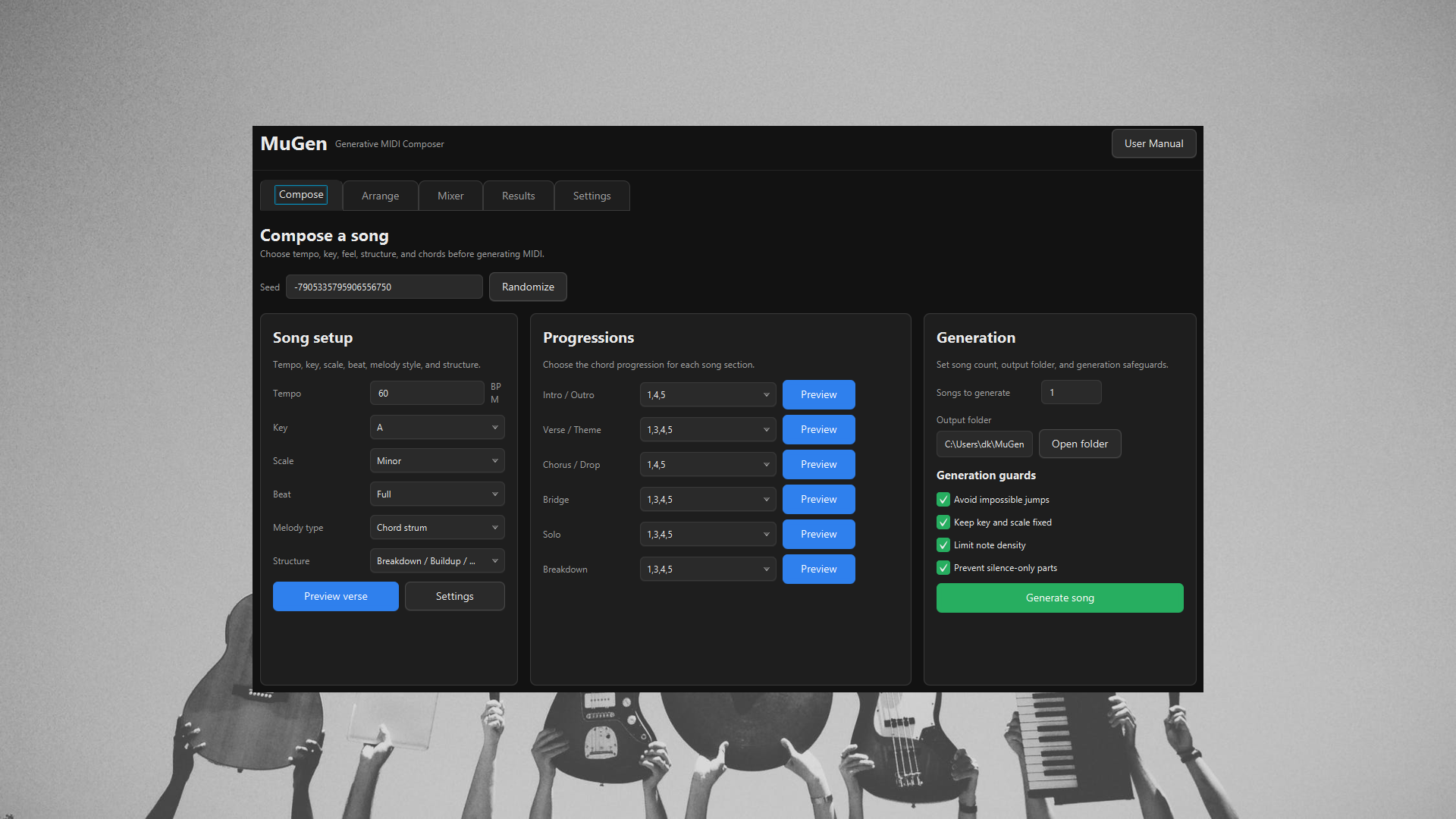
MuGen is a generative MIDI composer for games, videos, practice tracks, prototypes, and music production. Choose the musical intent, shape the arrangement, inspect the result, and export clean MIDI that can be opened in almost any DAW, notation tool, or MIDI player.
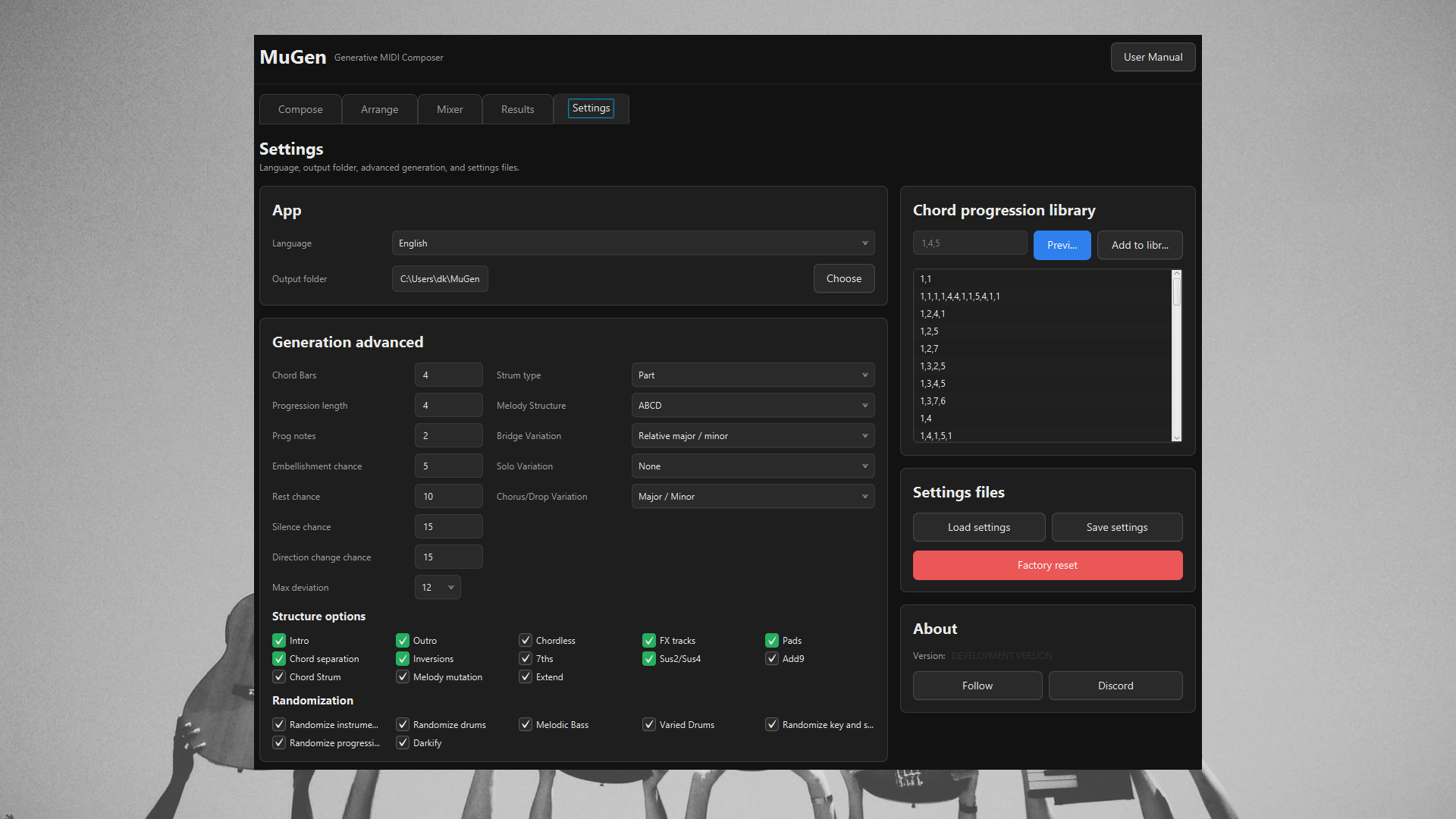
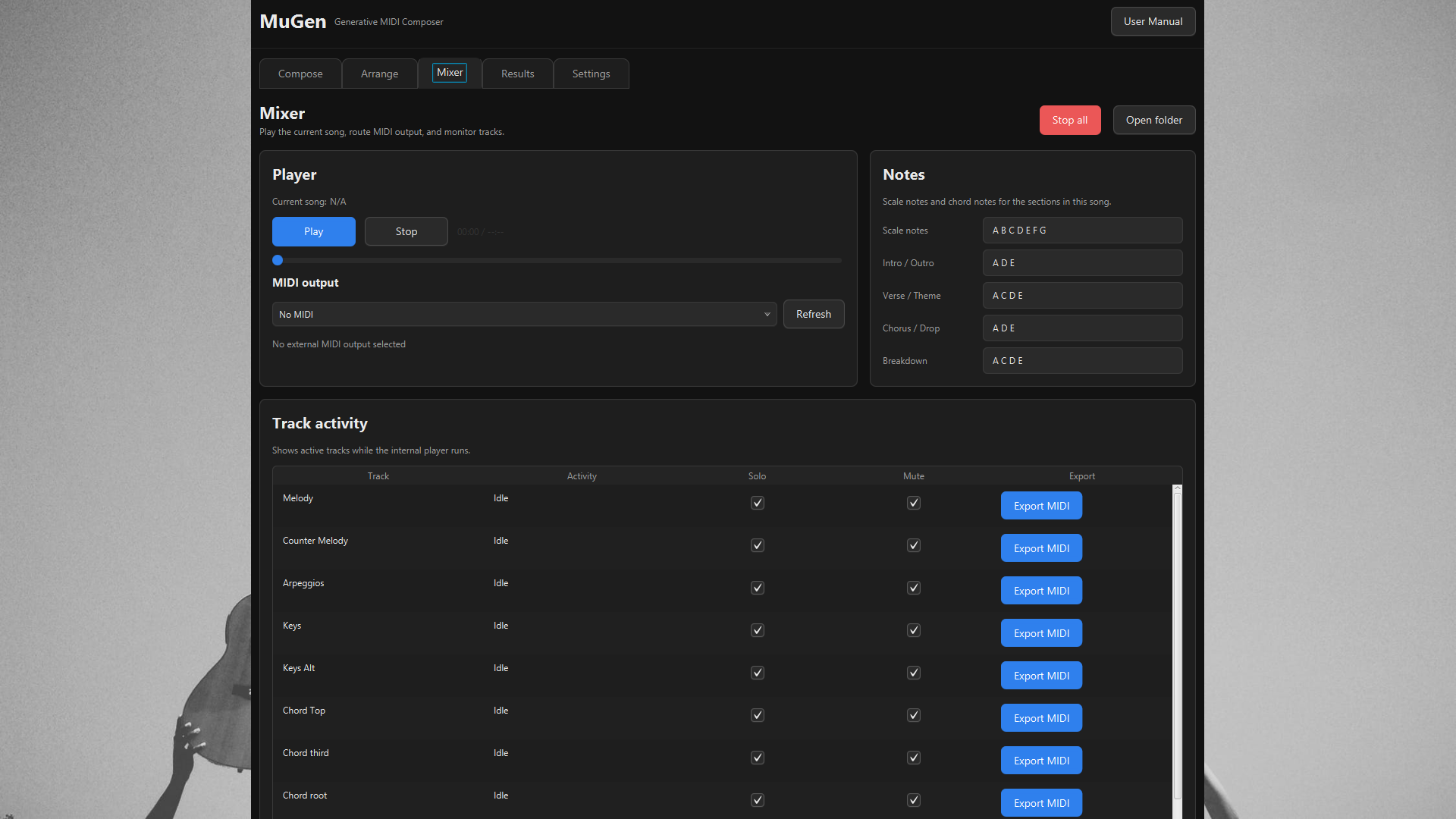
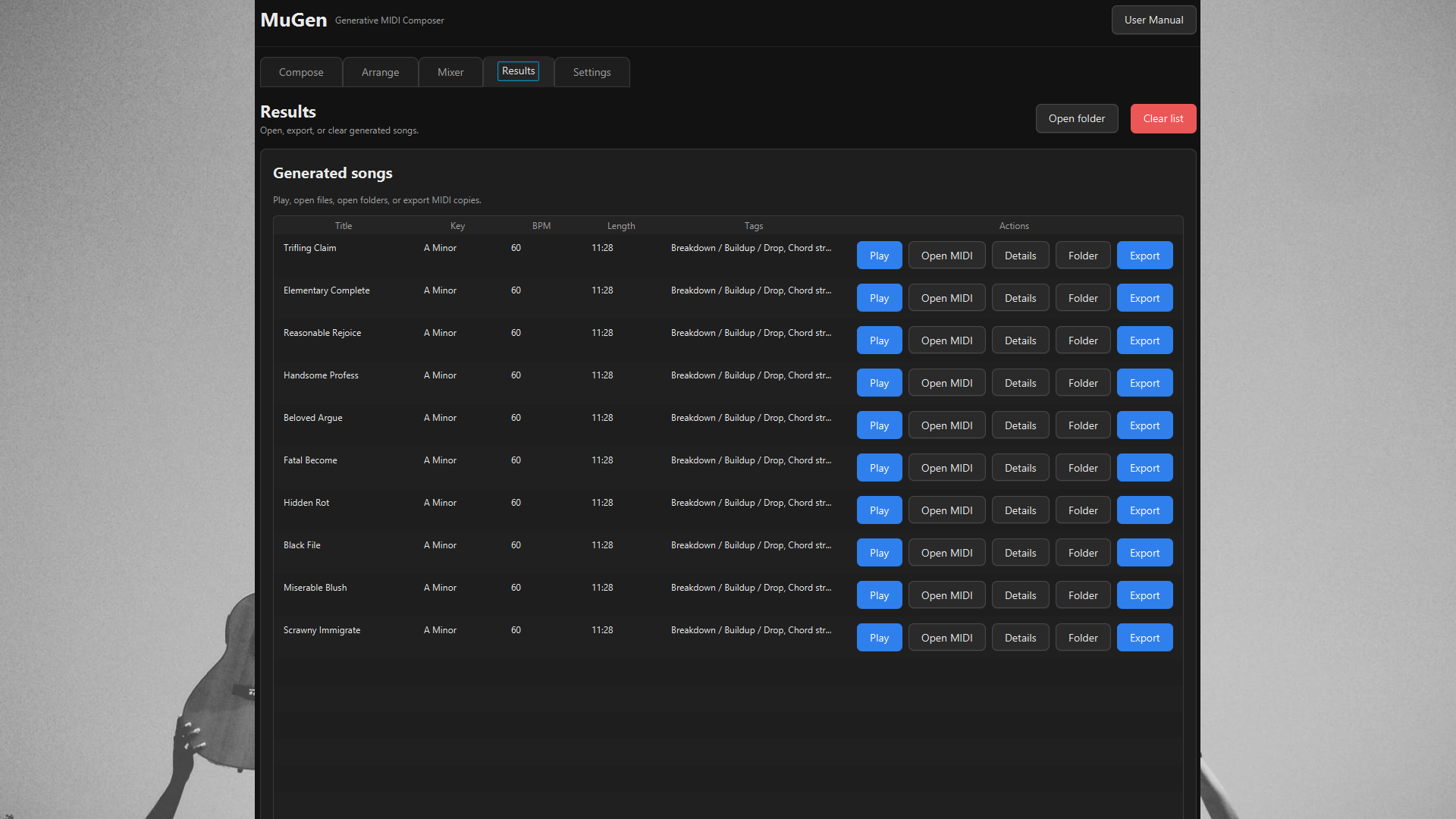
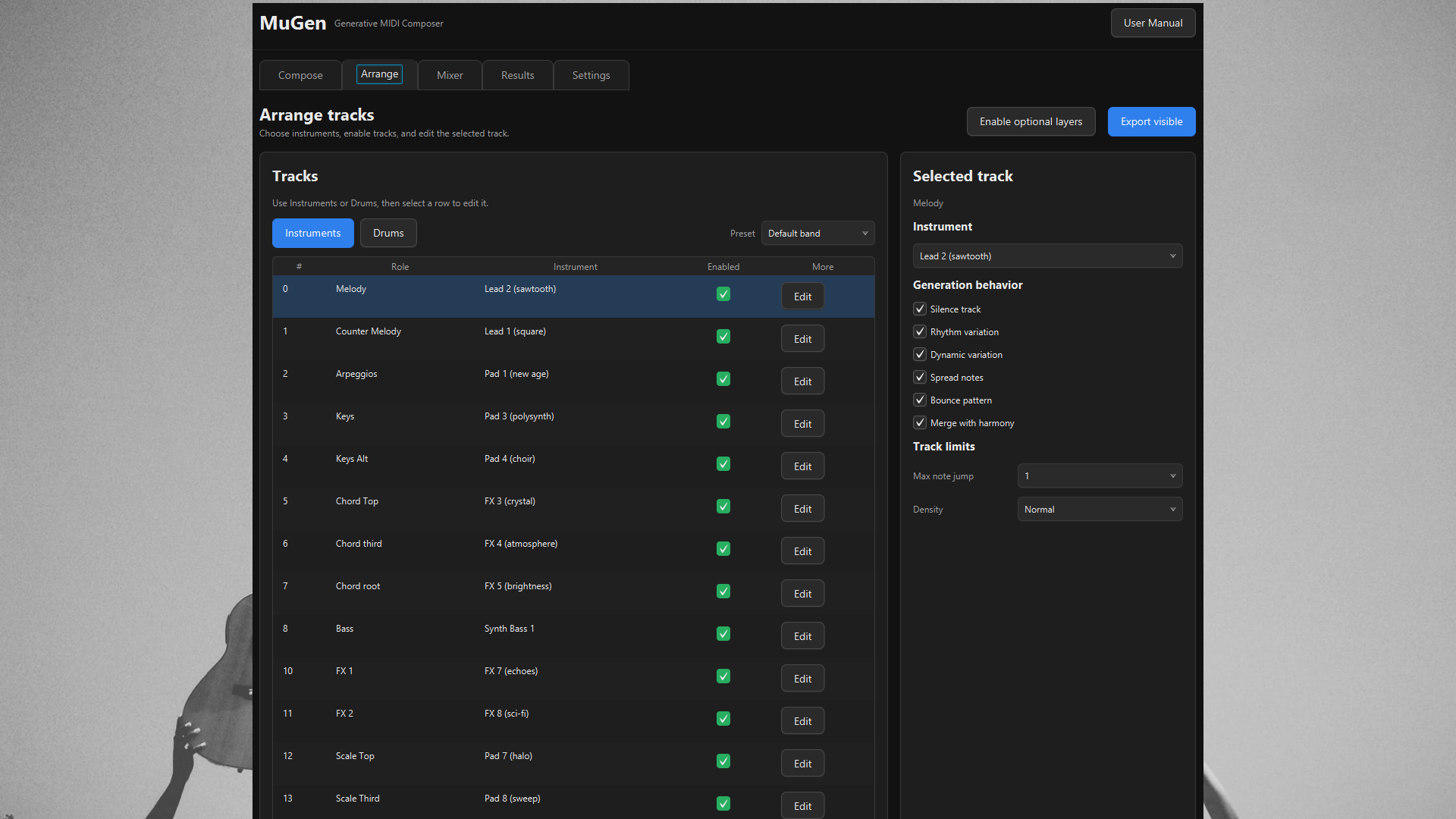
The workflow is built for speed without hiding power. Compose sets the seed, tempo, key, scale, beat, melody type, structure, and section progressions. Arrange lets you choose instruments and drums, enable or mute tracks, preview parts, and export individual MIDI tracks. Mixer gives you internal playback, MIDI output routing, note context, track activity, solo/mute controls, and MIDI export. Results keeps generated songs as usable objects with play, open, folder, details, and export actions.
MuGen combines guided randomization with music-theory rules to generate original, royalty-free songs. Keep a seed to explore variations, randomize when you want fresh ideas, and use advanced controls when you want deeper control over chord behavior, section variation, rhythm, density, and arrangement.
Features
- Fast royalty-free MIDI song generation
- Task-based workflow: Compose, Arrange, Mixer, Results, Settings
- Seeded generation for repeatable ideas and controlled variations
- Song setup controls for tempo, key, scale/mode, beat, melody type, and structure
- Section progressions for intro/outro, verse/theme, chorus/drop, bridge, solo, and breakdown
- Multiple song structures including theme, verse/chorus, bridge, solo, and breakdown/build/drop forms
- Chord-based, scale-based, strummed, pentatonic, and blues melody generation
- Scales and modes: Major, Minor, Dorian, Phrygian, Lydian, Mixolydian, Locrian
- Instrument and drum selection, presets, randomization, and per-track controls
- Built-in player with scrub control, note display, track activity, solo, mute, and MIDI output routing
- Export full songs or individual MIDI tracks for DAWs, notation tools, video tools, and game engines
- Generated song results with play, open MIDI, details, folder, and export actions
- Advanced chord and arrangement controls including Sus2, Sus4, Add9, 7th chords, inversions, FX tracks, pads, chord separation, and melody mutation
Use MuGen when you need music quickly, when you want controllable inspiration, or when you want MIDI material you can immediately edit, arrange, and produce in your own tools.
See tutorials here (for slightly older version but everything still applies)
Basic:
Advanced:
- CHANGELOG ---------------------------------------------------------------------
NEW IN 3.0.0
What’s new:
• A redesigned main window with clearer sections for composing, arranging, mixing, results, and advanced settings.
• A simpler first screen focused on creating songs faster.
• Improved controls for song structure, key, scale, tempo, progressions, instruments, and output.
• A clearer results view for generated songs.
• Better playback and MIDI-output controls.
• New and improved translations for multiple languages.
• Better font support for Japanese and Simplified Chinese.
• Updated manual and help content.
• Updated Steam artwork and screenshots.
• Improved Windows packaging for both Steam and non-Steam builds.
• Fixed launch issues in the non-Steam build.
• General stability, layout, and usability improvements.
NEW IN 2.4.8
- 4 New melody types - blues and pentatonic, major and minor
- A new 'dark mode' for those dark tunes
- Manual update
- Bugfixes
- Randomize each song with a new seed when generating multiple songs at once
- Solo, play and export now respects tempo and other settings
- Factory reset now works again
- Fixed the insanely fast bass line that was generated in some situations
NEW IN 2.4.5
- UI revamp
- Drums are now more consistent throughout the song
- FX tracks are shorter with fewer notes
- Use the program parameter 'nosteam' to avoid launching the Steam integration
NEW IN 2.4.2
- Base beat can be lowered and increased
- Internal music player is now the default
- Added playback control in the internal music player
NEW IN 2.3-2.4.1:
- Euclidean rhythm generator
- Choose melody structure
- More varied drums
- Melodic bass
- Music mutation
- Decoupled music and drum speed
NEW IN 2.1-2.2:
- You can now use the MuGen internal music player to play back generated songs.
- A new Note Viewer will show in real time the notes played in each channel.
- You can also click the new 'stop music' button to stop playback at any time.
- Added new options for melody direction change and melody note max deviation from root for more melody control
- FX notes will now respect current scale and key.
- Fixed bug where the wrong instrument was shown for a channel.
- UI overhaul
- Multiple FX tracks
- Bugfixes
NEW IN 2.0:
New melody creation method CHORDSTRUMMING and strumming type SONG, PART and CHORD implemented - emulating how a guitar player would create melodies using finger play.
NEW IN 1.9:
Melody jumps are now ranges from 0 and the selected value for more variation
Melodies no longer go in just one direction for more variation
Fixed a bug where the application remained open after closing the window
NEW IN 1.8:
Control how many notes the melody is allowed to jump per melody part.
NEW IN 1.7:
An option to randomize drum patterns
NEW IN 1.6:
* Drums solo and export
* EDM and Buildup structures respects intro/outro progression
* Various bug fixes
NEW IN 1.5.1:
* Instrument selection bugfix
* Chords solo and export respects channel options and strumming
NEW IN 1.5:
* Solo parts - listen to individual parts of the generated song
* Export part - export individual parts of the generated song
* Load/Save custom profiles. Share your profiles with friends and/or with the community!
* Language selection - english, italian, french - german on the way
* Factory reset button to go back to default settings
* Melody revamp for even better melodies
* Custom working directory for album generation location
* Added scrollbars for smaller screens
* Some bug fixes
NEW IN 1.4:
* New language support: French and Italian
* UI rehaul
* Preview play progressions, instruments and drums right in the UI
* Exported tracks now contain part and instrument name
* Unused parts with no notes are not exported
* Removed pause in beginning and end of songs
NEW IN 1.3:
A button to show the user manual
Expert settings
* Edit progression library. Add your own progressions or delete the ones you don't want.
* Show instrument names in MIDI tracks and export XML
* Show instrument names in metadata
* Choose channel instruments
* Choose drumset drums
* Modify channel Spread, Bounce, Silence, Rhythm, Dynamics and Merge for even more control over the generated music
* Some settings were moved from normal settings to expert settings: Embellish, Note rest and part silencing
NEW IN 1.2:
* Added user manual
* Bugfixes
NEW IN 1.1:
* Configurable chord separation (one track for each chord note)
* Configurable FX track
* Configurable PAD tracks (one track for root, third and fifth note per progression)
* New song structure types (Buildup, verse only, verse/bridge)
* XML export
* Right click song to open song location
* Right click song to view song metadata
* New config file location (userHome/.MuGen)
* New album root location (userHome/MuGen)
****************************************************************************
Purchase
In order to download this music generator you must purchase it at or above the minimum price of $24.99 USD. You will get access to the following files:
Development log
- MuGen 3 is here, completely redesigned93 days ago
- MuGen - The Music Generator was just updated!Dec 18, 2023
- MuGen - The Music Generator was just updated!Feb 27, 2023
- MuGen - The Music Generator was just updated!Dec 22, 2022
- MuGen - The Music Generator was just updated!Dec 01, 2022
- MuGen - The Music Generator 2.0 just released!Nov 01, 2022
- MuGen - The Music Generator was just updated!May 25, 2022
- MuGen - The Music Generator was just updated!Mar 31, 2022